Results for "How to set up plug in and play wireless mics"
Plug and play wireless microphones are audio devices that connect to recording equipment without the need for complex setup processes. They offer convenience and portability, making them ideal for various applications such as presentations, performances, and video recordings.

-24%$5.80$7.66


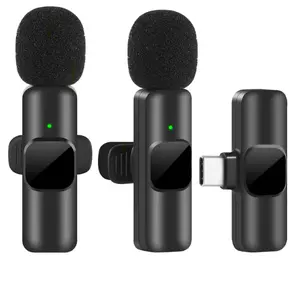
![[New Deal] 2 Pack Wireless Microphone Mini Mic for iPhone 7-14 iPad - Suitable for Podcast, Interview, Streaming, Vlog, YouTube & TikTok Audio Plug](https://p16-oec-general-useast5.ttcdn-us.com/tos-useast5-i-omjb5zjo8w-tx/ab64c9cfb6eb4040a214d5f821fe8fe0~tplv-fhlh96nyum-crop-webp:300:272.webp?dr=12190&t=555f072d&ps=933b5bde&shp=8dbd94bf&shcp=a6e80448&idc=useast5&from=2378011839 "[New Deal] 2 Pack Wireless Microphone Mini Mic for iPhone 7-14 iPad - Suitable for Podcast, Interview, Streaming, Vlog, YouTube & TikTok Audio Plug")


$28.03


Related Searches
Related Categories
Introduction
Setting up plug and play wireless microphones is a straightforward process that allows you to enjoy high-quality audio without the hassle of complicated configurations. These microphones are designed for ease of use, making them perfect for anyone from beginners to professionals. To get started, simply unpack your wireless microphone system and follow these steps:
- **Charge the Batteries**: Ensure that both the transmitter and receiver are fully charged.
- **Turn on the Devices**: Power on both the microphone and the receiver.
- **Connect the Receiver**: Plug the receiver into your audio device, such as a camera or mixer, using the provided cable.
- **Select the Frequency**: If your system has multiple channels, choose a frequency that is not being used by other devices.
- **Test the Audio**: Speak into the microphone to check the audio levels and make adjustments as necessary.
- **Public Speaking**: Deliver presentations without being tethered to a microphone stand.
- **Performances**: Musicians can move freely while singing or playing an instrument.
- **Video Production**: Capture high-quality audio without the clutter of wires.