Results for "how to reset bluetooth"
Resetting Bluetooth devices is a common troubleshooting step to resolve connectivity issues and restore factory settings.


![Bluetooth 5.3 FM Transmitter for Car, [2026 Upgraded] Wireless Car Bluetooth Adapter with LED Backlit Ambient Light, PD 30W & QC 3.0 Fast Charging Car Charger, Hands-free Calling, Bass Boost, No Static](https://p16-oec-general-useast8.ttcdn-us.com/tos-useast8-i-rt0ujvrtvp-tx2/ae0e5ba728304939b4856f39bf57c84e~tplv-fhlh96nyum-crop-webp:300:300.webp?dr=12190&t=555f072d&ps=933b5bde&shp=8dbd94bf&shcp=a6e80448&idc=useast5&from=2378011839 "Bluetooth 5.3 FM Transmitter for Car, [2026 Upgraded] Wireless Car Bluetooth Adapter with LED Backlit Ambient Light, PD 30W & QC 3.0 Fast Charging Car Charger, Hands-free Calling, Bass Boost, No Static")


3.4
660 sold
-40%$25.26$42.08


3.6
64 sold
-40%$9.47$15.78


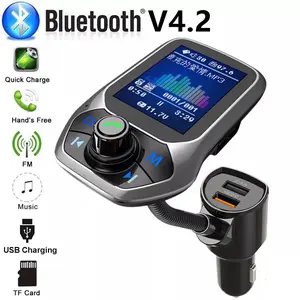
4.4
168 sold
-51%$25.96$53.12


Related Searches
Related Categories
Introduction
If you're experiencing issues with your Bluetooth headphones, resetting them can often resolve the problem. Resetting Bluetooth headphones involves restoring the device to its original factory settings, clearing any previous connections, and allowing you to start fresh. This process can help fix connectivity issues, sound quality problems, or any glitches that may occur during use.
Here’s how to reset Bluetooth headphones effectively:
For more tips on maintaining your Bluetooth accessories, explore our range of related products.
Here’s how to reset Bluetooth headphones effectively:
- 1. **Turn Off Your Headphones**: Make sure your headphones are powered off before starting the reset process.
- 2. **Press and Hold the Power Button**: Depending on your headphone model, press and hold the power button for about 5-10 seconds until you see a flashing light or hear a prompt indicating that the device is resetting.
- 3. **Forget the Device on Your Phone**: Go to your phone's Bluetooth settings, find your headphones in the list of paired devices, and select 'Forget' or 'Remove'.
- 4. **Reconnect the Headphones**: Turn on your headphones and put them in pairing mode. Then, go back to your phone's Bluetooth settings to reconnect.
For more tips on maintaining your Bluetooth accessories, explore our range of related products.