Results for "how to put screen protector on iphone without bubbles"
A screen protector is a thin layer of material applied to the screen of a device, such as an iPhone, to protect it from scratches, cracks, and other damage.


MAGIC JOHN

4.5
31.3K sold
-61%$17.25$44.46


![[2+2Pack] iPhone 17/16/15/14/13/12/11 Privacy Screen & Camera Lens Protector - 28° Anti-Peeping 9H Scratch-Resistant Tempered Glass 2.5D Curved Edges 10-Second Bubble-Free Installation Protect Your Phone with Shock-Resistant Cases for Smartphones](https://p16-oec-general-useast5.ttcdn-us.com/tos-useast5-i-omjb5zjo8w-tx/377fb35c546b49cf80a82b959b916f20~tplv-fhlh96nyum-crop-webp:300:300.webp?dr=12190&t=555f072d&ps=933b5bde&shp=8dbd94bf&shcp=a6e80448&idc=useast5&from=2378011839 "[2+2Pack] iPhone 17/16/15/14/13/12/11 Privacy Screen & Camera Lens Protector - 28° Anti-Peeping 9H Scratch-Resistant Tempered Glass 2.5D Curved Edges 10-Second Bubble-Free Installation Protect Your Phone with Shock-Resistant Cases for Smartphones")
![Privacy Screen Protector for iPhones [28° Anti-Spy] 9H Tempered Glass, Anti-Scratch, Full Coverage, Easy Installation Zero Bubble](https://p16-oec-general-useast5.ttcdn-us.com/tos-useast5-i-omjb5zjo8w-tx/3cfbc174b7b24b219bcb2da6d5251793~tplv-fhlh96nyum-crop-webp:300:300.webp?dr=12190&t=555f072d&ps=933b5bde&shp=8dbd94bf&shcp=a6e80448&idc=useast5&from=2378011839 "Privacy Screen Protector for iPhones [28° Anti-Spy] 9H Tempered Glass, Anti-Scratch, Full Coverage, Easy Installation Zero Bubble")
![[2+2 Pack] iPhone 17/16/15/14/13/12/11 ProMax PrivacyScreen Protector with CameraLens Protector Full CoverageAnti SpyTempered Glass Film 9H Hardness UpgradeEdgeProtection Easy to Install No Bubbles](https://p16-oec-general-useast8.ttcdn-us.com/tos-useast8-i-rt0ujvrtvp-tx2/1b1597a7cd8c488ebf67d1aef19df00e~tplv-fhlh96nyum-crop-webp:300:300.webp?dr=12190&t=555f072d&ps=933b5bde&shp=8dbd94bf&shcp=a6e80448&idc=useast5&from=2378011839 "[2+2 Pack] iPhone 17/16/15/14/13/12/11 ProMax PrivacyScreen Protector with CameraLens Protector Full CoverageAnti SpyTempered Glass Film 9H Hardness UpgradeEdgeProtection Easy to Install No Bubbles")
![2-piece privacy screen protector suitable for iPhone 16 15 14 13 12 11 Pro Max 6.7-inch [anti spy] tempered glass film, touch sensitive/scratch resistant/fingerprint resistant/easy to install without bubbles](https://p16-oec-general-useast5.ttcdn-us.com/tos-useast5-i-omjb5zjo8w-tx/f64215c2af0848f8a9497567a4cc0e2f~tplv-fhlh96nyum-crop-webp:300:300.webp?dr=12190&t=555f072d&ps=933b5bde&shp=8dbd94bf&shcp=a6e80448&idc=useast5&from=2378011839 "2-piece privacy screen protector suitable for iPhone 16 15 14 13 12 11 Pro Max 6.7-inch [anti spy] tempered glass film, touch sensitive/scratch resistant/fingerprint resistant/easy to install without bubbles")


![CUPERT Screen Protector [3PCS] HD/Anti-spy/Privacy Screen Protective Film, Shockproof Phone Protection Accessories for iPhone 13 14 15 16 Plus Pro Max,Durable Dust-free without Bubbles Casing Cover](https://p16-oec-general-useast5.ttcdn-us.com/tos-useast5-i-omjb5zjo8w-tx/45b584a7635f45408f95ead46a069a44~tplv-fhlh96nyum-crop-webp:300:300.webp?dr=12190&t=555f072d&ps=933b5bde&shp=8dbd94bf&shcp=a6e80448&idc=useast5&from=2378011839 "CUPERT Screen Protector [3PCS] HD/Anti-spy/Privacy Screen Protective Film, Shockproof Phone Protection Accessories for iPhone 13 14 15 16 Plus Pro Max,Durable Dust-free without Bubbles Casing Cover")

Newegg, Inc.
-45%$19.90$36.25


4.4
121.4K sold
-61%$15.51$39.97
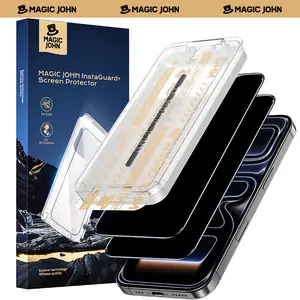
MAGIC JOHN
4.5
4.5K sold
-61%$15.55$40.08


4.3
123.0K sold
-61%$17.63$45.43

![[Privacy | Anti-spy] 4 cameras & 4 privacy films made of tempered glass | Anti-spy screen protector made of tempered glass for iPhone 16/15/14/13/12/11 Pro Max/Pro/Plus/Air – scratch-resistant protection for your mobile phone](https://p16-oec-general-useast5.ttcdn-us.com/tos-useast5-i-omjb5zjo8w-tx/748dc1f538b5404d8af6fc1764933a2a~tplv-fhlh96nyum-crop-webp:300:300.webp?dr=12190&t=555f072d&ps=933b5bde&shp=8dbd94bf&shcp=a6e80448&idc=useast5&from=2378011839 "[Privacy | Anti-spy] 4 cameras & 4 privacy films made of tempered glass | Anti-spy screen protector made of tempered glass for iPhone 16/15/14/13/12/11 Pro Max/Pro/Plus/Air – scratch-resistant protection for your mobile phone")

Related Searches
Related Categories
Introduction
Applying a screen protector on your iPhone can be a straightforward process, but many users struggle with bubbles that can ruin the appearance and effectiveness of the protector. To ensure a bubble-free application, follow these simple steps. First, clean your iPhone's screen thoroughly with a microfiber cloth to remove dust and fingerprints. It’s essential to work in a dust-free environment, as even tiny particles can cause bubbles. Next, align the screen protector carefully with your device's screen, starting from one edge. Once aligned, gently press the center of the protector, allowing it to adhere to the screen while pushing out any air bubbles toward the edges. If you do notice bubbles, use a credit card wrapped in a soft cloth to push them out gently. Remember, patience is key. If you find that you still have bubbles after your initial application, you can carefully lift the protector and reapply it, ensuring that you do not touch the adhesive side. By following these steps, you can enjoy a perfectly applied screen protector that keeps your iPhone safe from scratches and other damage. Trust in the proven quality of screen protectors that are customer-approved and trusted by thousands to keep your device looking new. Regularly check for updates on the latest screen protector options, as technology continuously evolves, providing better solutions for your device protection needs.