Results for "how to put on a magic john screen protector"
A Magic John screen protector is a specialized film designed to shield electronic device screens from scratches, dust, and smudges while maintaining clarity and touch sensitivity.

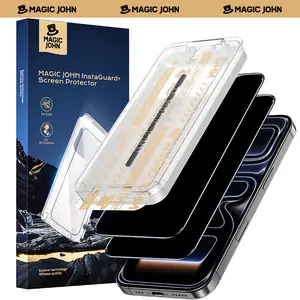
MAGIC JOHN

4.5
4.6K sold
-61%$14.73$37.96


4.2
660 sold
-50%$18.98$37.96


MAGIC JOHN
4.6
12.8K sold
-77%$8.71$37.96


MAGIC JOHN
4.6
211 sold
-50%$19.99$39.98


4.5
808 sold
-70%$8.98$29.96

MAGIC JOHN
4.4
383 sold
-50%$18.98$37.96


4.3
1.2K sold
-50%$15.98$31.96


4.4
122.1K sold
-52%$18.41$37.96


4.3
123.3K sold
-61%$14.73$37.96


MAGIC JOHN
4.1
6.0K sold
-50%$15.98$31.96
![One Fish[2PCS] 360° Privacy [4 sides Privacy] Screen Protector [UP, DOWN, LEFT, RIGHT] Anti-Spy, Tempered Glass, Full Protection.](https://p16-oec-general-useast5.ttcdn-us.com/tos-useast5-i-omjb5zjo8w-tx/8ee889704e574221bf1a166e275ade40~tplv-fhlh96nyum-crop-webp:300:300.webp?dr=12190&t=555f072d&ps=933b5bde&shp=8dbd94bf&shcp=a6e80448&idc=useast5&from=2378011839 "One Fish[2PCS] 360° Privacy [4 sides Privacy] Screen Protector [UP, DOWN, LEFT, RIGHT] Anti-Spy, Tempered Glass, Full Protection.")
Related Searches
Related Categories
Introduction
Applying a Magic John screen protector can significantly enhance the longevity and appearance of your device's screen. This process, while straightforward, requires careful attention to detail to ensure a bubble-free, precise fit. Here’s how to put on a Magic John screen protector effectively:
- Gather Your Materials: Before you start, make sure you have the Magic John screen protector, a microfiber cloth, and a dust removal sticker.
- Clean Your Screen: Use the microfiber cloth to thoroughly clean your device's screen. This step is crucial as any dust or fingerprints can lead to bubbles under the protector.
- Dust Removal: Use the dust removal sticker to pick up any remaining particles on the screen. This ensures a smooth application.
- Align the Protector: Carefully align the Magic John screen protector with your device's screen, ensuring it fits perfectly. Start from one edge and slowly lower it onto the screen.
- Smooth Out Bubbles: If you notice any bubbles, gently push them towards the edges using a credit card or your fingers. This will help in achieving a smooth finish.
- Final Check: Once applied, inspect the screen protector for any imperfections. If everything looks good, your device is now protected!