Results for "how to install a screen protector on iphone"
Installing a screen protector on your iPhone is a straightforward process that helps safeguard your device's display from scratches and damage.


MAGIC JOHN

4.4
31.1K sold
-61%$16.17$41.66


![[8in1] 5-Piece Privacy Screen Protector for iPhone 16E 16 15 14 13 17 Pro Max Plus 17 Air with 3-piece Camera Lens Protector Anti Spy Tempered Glass Film 9H Hardness Case Friendly](https://p19-oec-general-useast5.ttcdn-us.com/tos-useast5-i-omjb5zjo8w-tx/7b26bef5f7e0483194d9503b772b3fda~tplv-fhlh96nyum-crop-webp:300:300.webp?dr=12190&t=555f072d&ps=933b5bde&shp=8dbd94bf&shcp=a6e80448&idc=useast5&from=2378011839 "[8in1] 5-Piece Privacy Screen Protector for iPhone 16E 16 15 14 13 17 Pro Max Plus 17 Air with 3-piece Camera Lens Protector Anti Spy Tempered Glass Film 9H Hardness Case Friendly")
![[4 Tempered + 4 Lens ]Privacy Screen Protector for iPhone 16 15 14 13 12 11 Pro Max 4-Piece Set 4 Camera Lens Protectors Anti Peeping 9H Hardness Tempered Glass Film Scratch Resistant Shell Friendly](https://p19-oec-general-useast5.ttcdn-us.com/tos-useast5-i-omjb5zjo8w-tx/163e0d0b73b646da9d7bda46c376ecbb~tplv-fhlh96nyum-crop-webp:300:300.webp?dr=12190&t=555f072d&ps=933b5bde&shp=8dbd94bf&shcp=a6e80448&idc=useast5&from=2378011839 "[4 Tempered + 4 Lens ]Privacy Screen Protector for iPhone 16 15 14 13 12 11 Pro Max 4-Piece Set 4 Camera Lens Protectors Anti Peeping 9H Hardness Tempered Glass Film Scratch Resistant Shell Friendly")


![ESR 3 Pack for iPhone 17 Pro Max /17 Pro /17 Air/17(iPhone 17/16/15 All Models)Screen Protector, [9H Hardness] [Military Grade Shatterproof] Full Coverage Tempered Glass Film with Easy Installation Tool, HD Clear, Scratch Resistant](https://p16-oec-general-useast5.ttcdn-us.com/tos-useast5-i-omjb5zjo8w-tx/bad44624f2384896a553cea58978b06f~tplv-fhlh96nyum-crop-webp:300:300.webp?dr=12190&t=555f072d&ps=933b5bde&shp=8dbd94bf&shcp=a6e80448&idc=useast5&from=2378011839 "ESR 3 Pack for iPhone 17 Pro Max /17 Pro /17 Air/17(iPhone 17/16/15 All Models)Screen Protector, [9H Hardness] [Military Grade Shatterproof] Full Coverage Tempered Glass Film with Easy Installation Tool, HD Clear, Scratch Resistant")


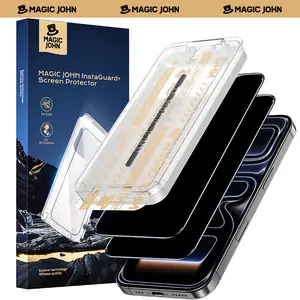
MAGIC JOHN
4.5
4.5K sold
-61%$15.62$40.27


![[2+2 Pack] iPhone 17/16/15/14/13/12/11 ProMax PrivacyScreen Protector with CameraLens Protector Full CoverageAnti SpyTempered Glass Film 9H Hardness UpgradeEdgeProtection Easy to Install No Bubbles](https://p16-oec-general-useast8.ttcdn-us.com/tos-useast8-i-rt0ujvrtvp-tx2/1b1597a7cd8c488ebf67d1aef19df00e~tplv-fhlh96nyum-crop-webp:300:300.webp?dr=12190&t=555f072d&ps=933b5bde&shp=8dbd94bf&shcp=a6e80448&idc=useast5&from=2378011839 "[2+2 Pack] iPhone 17/16/15/14/13/12/11 ProMax PrivacyScreen Protector with CameraLens Protector Full CoverageAnti SpyTempered Glass Film 9H Hardness UpgradeEdgeProtection Easy to Install No Bubbles")


![4-piece privacy screen protector for iPhone 16 15 14 13 12 11 Pro Max [6.7 inches], sensor protection, compatible with Dynamic Island, 9H anti spy private tempered glass film, scratch resistant, protective case friendly, simple](https://p16-oec-general-useast5.ttcdn-us.com/tos-useast5-i-omjb5zjo8w-tx/352533bf54e8492eb8b7d892ec9d798c~tplv-fhlh96nyum-crop-webp:300:300.webp?dr=12190&t=555f072d&ps=933b5bde&shp=8dbd94bf&shcp=a6e80448&idc=useast5&from=2378011839 "4-piece privacy screen protector for iPhone 16 15 14 13 12 11 Pro Max [6.7 inches], sensor protection, compatible with Dynamic Island, 9H anti spy private tempered glass film, scratch resistant, protective case friendly, simple")
![[Privacy Protection | Anti-Peeping] 2 Cameras & 2 Tempered Glass Privacy Screen Protectors | Anti-Peeping Tempered Glass Screen Protector for iPhone 16/15/14/13/12/11 Pro Max/16/14/15 Plus/- Scratch-Resistant Phone Protector](https://p16-oec-general-useast5.ttcdn-us.com/tos-useast5-i-omjb5zjo8w-tx/ccee296e843f497b90d8ece573ba87bd~tplv-fhlh96nyum-crop-webp:300:300.webp?dr=12190&t=555f072d&ps=933b5bde&shp=8dbd94bf&shcp=a6e80448&idc=useast5&from=2378011839 "[Privacy Protection | Anti-Peeping] 2 Cameras & 2 Tempered Glass Privacy Screen Protectors | Anti-Peeping Tempered Glass Screen Protector for iPhone 16/15/14/13/12/11 Pro Max/16/14/15 Plus/- Scratch-Resistant Phone Protector")


![[Free!!Ship!] 360° Rugged Transparent Case for iPhone 17 Pro Max 16 15 Plus Magsafe Military Shockproof Cover with HD Screen Protector TPU Clean Phone Bumper](https://p16-oec-general-useast5.ttcdn-us.com/tos-useast5-i-omjb5zjo8w-tx/69c6150ed96641e6af1e72746ba1dccf~tplv-fhlh96nyum-crop-webp:300:300.webp?dr=12190&t=555f072d&ps=933b5bde&shp=8dbd94bf&shcp=a6e80448&idc=useast5&from=2378011839 "[Free!!Ship!] 360° Rugged Transparent Case for iPhone 17 Pro Max 16 15 Plus Magsafe Military Shockproof Cover with HD Screen Protector TPU Clean Phone Bumper")


Related Searches
Related Categories
Introduction
Installing a screen protector on your iPhone is essential for maintaining its pristine condition. A screen protector acts as a barrier against scratches, cracks, and other potential damage that can occur during everyday use. With various options available, including tempered glass and plastic film, choosing the right one can significantly enhance your device's durability.
Here’s a simple guide to help you through the installation process, ensuring that you achieve a bubble-free and precise fit:
Here’s a simple guide to help you through the installation process, ensuring that you achieve a bubble-free and precise fit:
- Clean Your Screen: Begin by cleaning your iPhone screen thoroughly with a microfiber cloth. Ensure there are no dust particles, oils, or fingerprints, as these can interfere with the adhesion of the screen protector.
- Align the Protector: Carefully align the screen protector with your iPhone's display. Take your time to ensure that it fits perfectly, especially around the edges and camera cutouts.
- Apply the Protector: Once aligned, gently lay the screen protector onto the screen. Start from one edge and slowly lower it down to avoid trapping air bubbles.
- Remove Air Bubbles: If any bubbles do appear, use a credit card or a similar object to push them towards the edges of the screen protector, releasing the air.
- Final Check: After installation, check for any remaining bubbles or misalignments. If necessary, lift the protector slightly and reapply.