Results for "How To Customise Your Keycaps"
Customizing keycaps involves changing the keycaps on a keyboard to enhance aesthetics, improve typing experience, or express personal style. This process can significantly alter the look and feel of your keyboard.
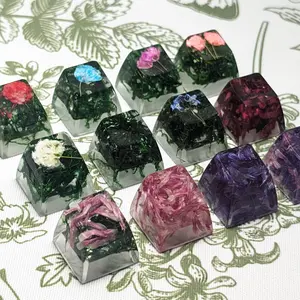


$59.00


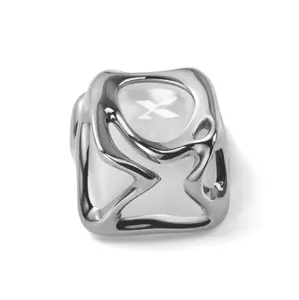


$1.00


![[Only keycaps]FURYCUBE Keycaps with IMD Tech,Custom Keycaps 90 Percent,White and Black Keycap Set OEM Profile,98 Keys Side Printed Keyboard Keycaps for Mechanical Keyboards,Topographic](https://p16-oec-general-useast5.ttcdn-us.com/tos-useast5-i-omjb5zjo8w-tx/a6a6f32cfc9e46e2af90961ee7c8181b~tplv-fhlh96nyum-crop-webp:300:292.webp?dr=12190&t=555f072d&ps=933b5bde&shp=8dbd94bf&shcp=a6e80448&idc=useast5&from=2378011839 "[Only keycaps]FURYCUBE Keycaps with IMD Tech,Custom Keycaps 90 Percent,White and Black Keycap Set OEM Profile,98 Keys Side Printed Keyboard Keycaps for Mechanical Keyboards,Topographic")


$17.30


Related Searches
Related Categories
Introduction
Customizing your keycaps can transform your keyboard into a unique expression of your personality and style. Whether you're a gamer, a programmer, or simply someone who enjoys a personalized workspace, knowing how to customize your keycaps is essential. The process involves selecting the right keycap set that matches your preferences and installing them on your keyboard.
Here are some key points to consider when customizing your keycaps:
By customizing your keycaps, you not only enhance the visual appeal of your keyboard but also improve your typing experience. It's a fun way to make your setup uniquely yours. Remember to explore various options and stay updated with the latest trends in keycap customization for the best results.
Here are some key points to consider when customizing your keycaps:
- Material: Keycaps come in various materials like ABS, PBT, and POM. PBT is known for its durability and resistance to shine, while ABS offers more vibrant colors.
- Profile: Keycap profiles, such as SA, DSA, or Cherry, affect the height and shape of the keys. Choose a profile that feels comfortable for typing or gaming.
- Design: From solid colors to intricate designs, the aesthetic of your keycaps can greatly influence the overall look of your keyboard. Consider themes that reflect your interests.
- Compatibility: Ensure that the keycaps you choose fit your keyboard layout. Not all keycaps are compatible with every keyboard, especially if you have a non-standard layout.
- Installation: Replacing keycaps is generally straightforward. Use a keycap puller to safely remove existing keycaps and replace them with your new set.
By customizing your keycaps, you not only enhance the visual appeal of your keyboard but also improve your typing experience. It's a fun way to make your setup uniquely yours. Remember to explore various options and stay updated with the latest trends in keycap customization for the best results.