Results for "How to connect you portable wifi"
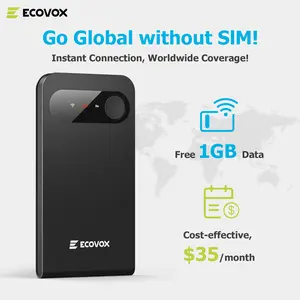
Pocket Wi-Fi is a portable device that provides wireless internet access by connecting to cellular networks, allowing users to stay connected on the go.





![[SIM Card Required] JOYTUTUS 4G LTE WiFi Router — 150Mbps USB Modem (Unlocked) — Portable In-Car WiFi Adapter](https://p16-oec-general-useast5.ttcdn-us.com/tos-useast5-i-omjb5zjo8w-tx/97a735ed2b41485eaf276762b0415c40~tplv-fhlh96nyum-crop-webp:300:300.webp?dr=12190&t=555f072d&ps=933b5bde&shp=8dbd94bf&shcp=a6e80448&idc=useast5&from=2378011839 "[SIM Card Required] JOYTUTUS 4G LTE WiFi Router — 150Mbps USB Modem (Unlocked) — Portable In-Car WiFi Adapter")

4.3
3.2K sold
-46%$74.90$139.21


Related Searches
Related Categories
Introduction
Connecting your Pocket Wi-Fi is a straightforward process that enables you to access the internet wherever you are. Pocket Wi-Fi devices are ideal for travelers, remote workers, or anyone who needs reliable internet access outside their home or office. To get started, follow these simple steps:
- Turn on your Pocket Wi-Fi device.
- Locate the Wi-Fi network name (SSID) and password, usually found on the device or in the user manual.
- On your smartphone, tablet, or laptop, go to the Wi-Fi settings and look for the network name of your Pocket Wi-Fi.
- Select the network and enter the password to connect.