Results for "How to chamge exbox elite controller"
Changing an Xbox Elite controller involves adjusting its features or replacing parts to enhance gaming performance and comfort.


![[Price Drop] Microsoft Xbox Elite Series 2 Wireless Controller - White Accessories Game Console](https://p16-oec-general-useast5.ttcdn-us.com/tos-useast5-i-omjb5zjo8w-tx/26fd9d10f9d447d7a42b12046f863b6d~tplv-fhlh96nyum-crop-webp:300:225.webp?dr=12190&t=555f072d&ps=933b5bde&shp=8dbd94bf&shcp=a6e80448&idc=useast5&from=2378011839 "[Price Drop] Microsoft Xbox Elite Series 2 Wireless Controller - White Accessories Game Console")
Newegg, Inc.

4.4
5.7K sold
$180.23
![[PRICE DROP] Microsoft Xbox Elite Series 2 Wireless Controller - Custom Great Wave - Accessories Game Console](https://p16-oec-general-useast5.ttcdn-us.com/tos-useast5-i-omjb5zjo8w-tx/151d9ae4e2094891a9bad057db0b5f7c~tplv-fhlh96nyum-crop-webp:300:293.webp?dr=12190&t=555f072d&ps=933b5bde&shp=8dbd94bf&shcp=a6e80448&idc=useast5&from=2378011839 "[PRICE DROP] Microsoft Xbox Elite Series 2 Wireless Controller - Custom Great Wave - Accessories Game Console")

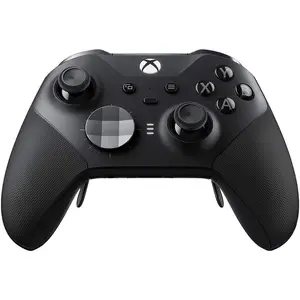


Newegg, Inc.
4.8
45 sold
$84.44

Gamesir
4.8
3.7K sold
$113.35

Gamesir
4.3
6.0K sold
$34.00

Newegg, Inc.
4.8
72 sold
-12%$84.44$95.78


Newegg, Inc.
4.6
73 sold
$78.21
![[TT Exclusive] GameSir T7 Pro Floral Wired Controller for Xbox](https://p16-oec-general-useast5.ttcdn-us.com/tos-useast5-i-omjb5zjo8w-tx/b9dd058be905452197f81661e20f68bf~tplv-fhlh96nyum-crop-webp:300:300.webp?dr=12190&t=555f072d&ps=933b5bde&shp=8dbd94bf&shcp=a6e80448&idc=useast5&from=2378011839 "[TT Exclusive] GameSir T7 Pro Floral Wired Controller for Xbox")

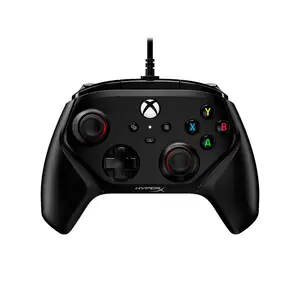

Newegg, Inc.
4.8
22 sold
$78.21

Newegg, Inc.
5.0
28 sold
$84.44



Newegg, Inc.
5.0
25 sold
$79.44


Gamesir
4.8
4.4K sold
$138.63
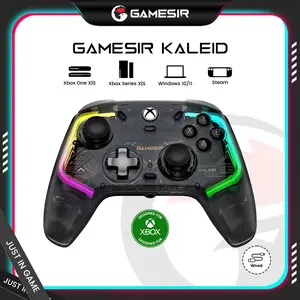

Gamesir
4.7
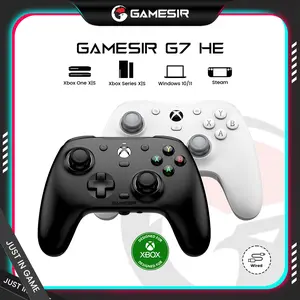
24.0K sold
$85.31

Related Searches
Related Categories
Introduction
Changing your Xbox Elite controller can significantly improve your gaming experience. Whether you're looking to customize the controller's settings, replace thumbsticks, or adjust the paddles, understanding how to make these changes is crucial for any serious gamer. Here are some key aspects to consider when changing your Xbox Elite controller:
- Customization: The Xbox Elite controller allows you to customize button mapping and sensitivity settings through the Xbox Accessories app. This feature lets you tailor the controller to your gaming style, ensuring you have the best possible experience.
- Replacing Parts: Over time, thumbsticks and paddles may wear out. You can easily replace these components to maintain optimal performance. The Elite controller is designed for easy part replacement, making it user-friendly.
- Firmware Updates: Regularly check for firmware updates to ensure your controller is functioning at its best. These updates can improve performance and fix bugs.
- Comfort Adjustments: Experiment with different grip styles and weights to find what feels best for you. The Elite controller allows for various configurations, enhancing comfort during long gaming sessions.
- Maintenance: Keep your controller clean and in good condition. Regular maintenance can extend the life of your controller and improve your gaming experience.