Results for "how do you locate an air tag"

An AirTag is a small tracking device created by Apple that helps users locate lost items using the Find My app.

Featured brands
Authenticated productsVerified shops

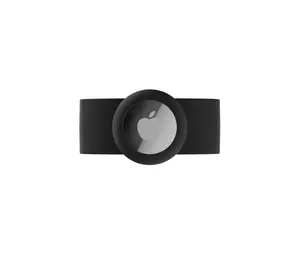
AIRTAG STRAP
Free shipping
5.013 sold
-50%$11.48$23.02
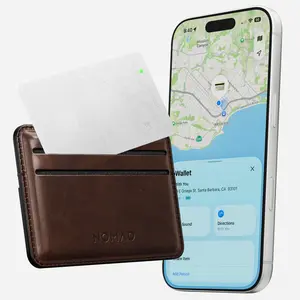
Tracking Card Air - Find My | White
Free shipping

Introduction

Locating an AirTag can be incredibly useful for keeping track of your belongings. With its compact design, an AirTag can be attached to keys, bags, or any item you want to monitor. The process of finding an AirTag is straightforward and utilizes Apple's advanced technology. To locate an AirTag, you will need to have the Find My app installed on your iPhone or iPad. Here’s how to locate an AirTag effectively:
  • Open the Find My app on your device.
  • Select the 'Items' tab to view a list of your AirTags.
  • Tap on the AirTag you want to find, and you will see its current location on the map.
In case the AirTag is nearby, you can use the 'Play Sound' feature to make it emit a sound, helping you find it easily. It's important to note that AirTags use Bluetooth technology, so they work best when they are within a certain range of your device. If your AirTag is out of range, the Find My network will use nearby Apple devices to help locate it, providing you with its last known location. Customers appreciate the proven quality of AirTags, as they are trusted by thousands to keep track of their essential items. Regularly updating the Find My app ensures you have the latest features and improvements for locating your AirTag efficiently.

FAQs

How can I choose the best AirTag for my needs?

When choosing an AirTag, consider how you plan to use it. If you need it for keys or small items, a single AirTag may suffice. For larger items like bags, you might want a few more to cover all your essentials.

What are the key features to look for when selecting wearable accessories like AirTags?

Look for features such as compatibility with your devices, battery life, range, and ease of use. For AirTags, ensure they work with the Find My app on your Apple devices.

Are there any common mistakes people make when purchasing AirTags?

A common mistake is not checking compatibility with their devices. Ensure your device supports the Find My app before purchasing.

Can I track my AirTag if it’s out of Bluetooth range?

Yes, if your AirTag is out of Bluetooth range, it can still be located using the Find My network, which utilizes nearby Apple devices to update its last known location.

How do I reset my AirTag if needed?

To reset your AirTag, remove the battery, wait for a few seconds, then replace it. Press down on the battery until you hear a sound, indicating the reset is complete.