Results for "console port"
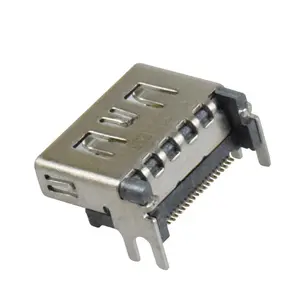
A console port is a communication interface that allows for direct access to a device's management functions, typically used in networking equipment and servers.



Related Searches
Related Categories
Introduction
The console port is an essential feature for managing KVM switches, providing users with direct access to the connected devices. A console port allows administrators to connect to servers and network devices for configuration, monitoring, and troubleshooting. This connection can be made using a serial cable or a direct USB connection, depending on the device.
When utilizing KVM switches, the console port becomes a vital tool, enabling seamless control over multiple systems from a single workstation. Here are some key points to consider when using a console port with KVM switches:
When utilizing KVM switches, the console port becomes a vital tool, enabling seamless control over multiple systems from a single workstation. Here are some key points to consider when using a console port with KVM switches:
- Direct Access: Gain immediate access to the console of each connected device without needing to switch between multiple screens.
- Ease of Configuration: Simplifies the setup and configuration process, allowing for quick adjustments to network settings or server parameters.
- Monitoring Capabilities: Facilitates real-time monitoring of system performance and health.
- Remote Management: Many modern KVM switches offer remote access capabilities, allowing users to manage devices from anywhere.
- Security Features: Console ports often come with built-in security features to prevent unauthorized access.