Results for "computer screen keyboard"
A computer screen keyboard refers to a virtual keyboard displayed on a computer screen, allowing users to input text without a physical keyboard.


![[NEW] AULA L99 Tri-Mode Wireless Mechanical Keyboard – Ergonomic Design with HD Smart Screen, RGB Backlight, Compact Keyboard for Gaming/PC/Mac](https://p19-oec-general-useast5.ttcdn-us.com/tos-useast5-i-omjb5zjo8w-tx/4be86558b8594c47abde2cc2a440e40e~tplv-fhlh96nyum-crop-webp:300:300.webp?dr=12190&t=555f072d&ps=933b5bde&shp=8dbd94bf&shcp=a6e80448&idc=useast5&from=2378011839 "[NEW] AULA L99 Tri-Mode Wireless Mechanical Keyboard – Ergonomic Design with HD Smart Screen, RGB Backlight, Compact Keyboard for Gaming/PC/Mac")


4.7
792 sold
-48%$190.70$370.07


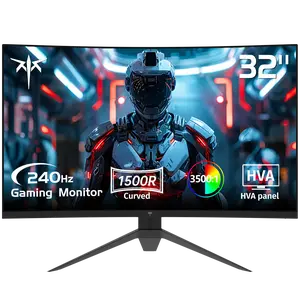
Pixio

4.8
1.0K sold
-29%$115.64$161.90


Related Searches
Related Categories
Introduction
A computer screen keyboard is an essential tool for many users, especially those who rely on touchscreens or have mobility challenges. This virtual keyboard enables you to type directly on your computer screen, providing flexibility and convenience. Whether you're using a tablet, laptop, or desktop with touch capabilities, a computer screen keyboard enhances user experience by allowing for easy text input.
Here are some key points about computer screen keyboards:
The growing popularity of touchscreen devices has made computer screen keyboards more prevalent. Users appreciate the ability to type without needing additional hardware, making it a practical solution for everyday tasks. As technology advances, these virtual keyboards are becoming more sophisticated, with features like predictive text and voice recognition, further enhancing usability.
In summary, a computer screen keyboard is a versatile and convenient option for text input, catering to various user needs and preferences. Whether for accessibility or ease of use, it plays a significant role in modern computing.
Here are some key points about computer screen keyboards:
- Accessibility: Ideal for users with physical disabilities who may find it difficult to use a traditional keyboard.
- Convenience: Perfect for mobile devices, where space-saving is crucial.
- Customization: Many screen keyboards allow for personalization, including different layouts and sizes.
- Multi-language Support: Often, these keyboards support multiple languages, making them versatile for global users.
The growing popularity of touchscreen devices has made computer screen keyboards more prevalent. Users appreciate the ability to type without needing additional hardware, making it a practical solution for everyday tasks. As technology advances, these virtual keyboards are becoming more sophisticated, with features like predictive text and voice recognition, further enhancing usability.
In summary, a computer screen keyboard is a versatile and convenient option for text input, catering to various user needs and preferences. Whether for accessibility or ease of use, it plays a significant role in modern computing.