Results for "computer mouse challenger"
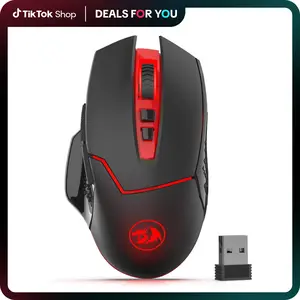
A computer mouse challenger refers to a specific type of computer mouse designed to compete with other popular models in terms of performance, features, and user experience.


REDRAGON

4.7
2.7K sold
-5%$14.37$15.13


REDRAGON
4.7
441 sold
-15%$32.65$38.41

![[New]AULA SC620 Wireless Gaming Mouse – Tri-Mode 2.4G/BT 5.3/USB-C, 12000 DPI RGB Programmable Mouse with Macro & Rapid Fire for PC, Laptop, Mac keyboards for gaming](https://p16-oec-general-useast8.ttcdn-us.com/tos-useast8-i-rt0ujvrtvp-tx2/aa9a7fc8db774756ab070f9885d705b5~tplv-fhlh96nyum-crop-webp:300:300.webp?dr=12190&t=555f072d&ps=933b5bde&shp=8dbd94bf&shcp=a6e80448&idc=useast5&from=2378011839 "[New]AULA SC620 Wireless Gaming Mouse – Tri-Mode 2.4G/BT 5.3/USB-C, 12000 DPI RGB Programmable Mouse with Macro & Rapid Fire for PC, Laptop, Mac keyboards for gaming")


REDRAGON
4.5
4.6K sold
-18%$16.22$19.78


-26%$34.36$46.39


-26%$24.33$32.85


Related Searches
Related Categories
Introduction
When it comes to choosing the right computer mouse, the term 'computer mouse challenger' often comes into play. These mice are engineered to provide superior performance and compete with leading models on the market. Whether you're a gamer, a professional, or a casual user, understanding the features of a computer mouse challenger can greatly enhance your computing experience.
A computer mouse challenger typically offers advanced functionalities such as high DPI (dots per inch) settings for precision tracking, customizable buttons for tailored commands, and ergonomic designs for comfort during extended use. Here are some key aspects to consider when exploring computer mouse challengers:
A computer mouse challenger typically offers advanced functionalities such as high DPI (dots per inch) settings for precision tracking, customizable buttons for tailored commands, and ergonomic designs for comfort during extended use. Here are some key aspects to consider when exploring computer mouse challengers:
- Performance: Look for mice with high polling rates and low latency to ensure smooth and responsive movements.
- Ergonomics: Choose a design that fits comfortably in your hand to reduce strain during long hours of use.
- Customization: Many challengers come with software that allows you to customize button functions and lighting effects.
- Compatibility: Ensure the mouse works seamlessly with your operating system and devices.
- Durability: Opt for models that are built to last, with high-quality materials and reliable components.