Results for "computer monitor blue"

A computer monitor blue refers to a display screen that features a blue color tone, which can be a setting or characteristic of the monitor's display settings.

Featured brands
Authenticated productsVerified shops

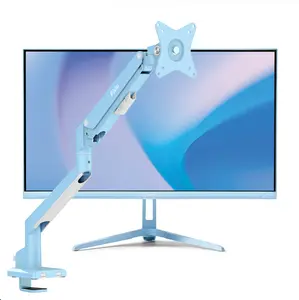
PX246 Wave Blue Monitor + Single Monitor Arm Bundle
Free shipping
PX246 Wave Purple Monitor + Dual Monitor Arm Bundle
Free shipping
PX246 Wave Black Monitor + Dual Monitor Arm Bundle
Free shipping
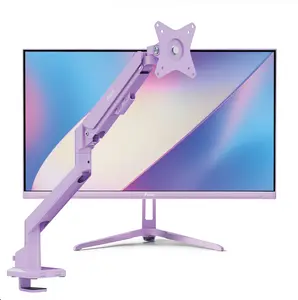
PX246 Wave Purple Monitor + Single Monitor Arm Bundle
Free shipping
PX246 Wave Pink Monitor + Dual Monitor Arm Bundle
Free shipping
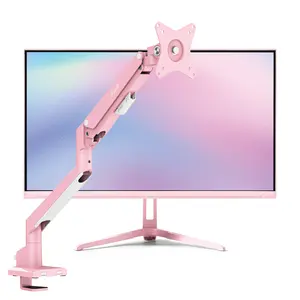
PX246 Wave Pink Monitor + Single Monitor Arm Bundle
Free shipping
PX246 Wave Beige Monitor + Single Monitor Arm Bundle
Free shipping
Related Categories

Introduction

Computer monitors are essential for a variety of tasks, whether you're working, gaming, or enjoying media. A computer monitor blue setting can enhance your viewing experience by providing a cooler color temperature, which is often preferred for its ability to reduce eye strain during long hours of use. When selecting a monitor, consider the importance of color accuracy, especially if you're involved in graphic design or video editing. Here are some key points to keep in mind:
  • Resolution: Higher resolutions provide clearer images, making it easier to see detail.
  • Refresh Rate: A higher refresh rate can lead to smoother visuals, particularly important for gaming.
  • Color Accuracy: Look for monitors that offer good color reproduction to ensure your work appears as intended.
  • Connectivity: Ensure the monitor has the necessary ports for your devices.
  • Adjustability: Features like height adjustment and tilt can improve ergonomics.
Choosing the right computer monitor blue can significantly impact your overall experience, making it crucial to consider your specific needs and preferences. With a plethora of options available, from budget-friendly to high-end models, you can find a monitor that meets your requirements while also providing a visually pleasing display.

FAQs

How can I choose the best computer monitor for my needs?

Identify your primary use, such as gaming, professional work, or casual browsing, and look for monitors that cater to those needs in terms of resolution, refresh rate, and size.

What are the key features to look for when selecting monitors?

Key features include resolution, refresh rate, panel type (IPS, TN, VA), connectivity options, and ergonomics like height adjustment and tilt.

Are there any common mistakes people make when purchasing a computer monitor?

Common mistakes include not considering the intended use, overlooking important specifications, and ignoring ergonomics which can lead to discomfort during use.

What is the difference between a blue light filter and a blue monitor setting?

A blue light filter reduces blue light emission to minimize eye strain, while a blue monitor setting adjusts the color temperature to a cooler tone, affecting the overall display appearance.

How often should I update my computer monitor?

Consider updating your monitor every 3-5 years or when you notice performance issues, such as color fading or compatibility with new technology.