Results for "case swap pc"
A case swap PC refers to the process of changing or upgrading the computer case for a personal computer (PC). This can enhance aesthetics, improve airflow, or accommodate new hardware.


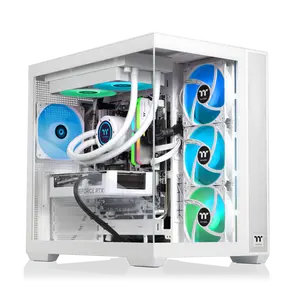


Newegg, Inc.

-20%$281.47$350.69


$63.00

Newegg, Inc.
4.1
34 sold
-34%$67.47$102.08
Related Searches
Related Categories
Introduction
When it comes to PC building and upgrades, a case swap PC can be a game changer. Whether you're looking to enhance your setup's aesthetics or improve airflow for better cooling, swapping out your PC case is a popular choice among enthusiasts. A new case can provide better cable management options, more space for additional components, and improved thermal performance.
Here are some reasons why you might consider a case swap PC:
When choosing a new case, consider factors such as size (ATX, Micro-ATX, Mini-ITX), compatibility with your components, and your personal style preferences. With so many options available, finding the perfect case for your PC swap can elevate your computing experience. Remember, a well-chosen case not only enhances aesthetics but also contributes to the overall performance and longevity of your components.
Here are some reasons why you might consider a case swap PC:
- Aesthetics: A new case can transform the look of your setup, allowing for a more personalized and visually appealing workspace.
- Improved Airflow: Many modern cases are designed with airflow in mind, featuring mesh panels and optimized fan placements to keep your components cool.
- Space for Upgrades: If you're planning to upgrade your hardware, a larger case can provide the necessary space for new graphics cards, cooling systems, or additional drives.
- Better Cable Management: A new case often comes with features that make it easier to manage cables, leading to a cleaner and more organized build.
When choosing a new case, consider factors such as size (ATX, Micro-ATX, Mini-ITX), compatibility with your components, and your personal style preferences. With so many options available, finding the perfect case for your PC swap can elevate your computing experience. Remember, a well-chosen case not only enhances aesthetics but also contributes to the overall performance and longevity of your components.