Results for "canon bluetooth"

Canon Bluetooth refers to the wireless technology used in Canon devices to connect and transfer data seamlessly with other Bluetooth-enabled devices. This feature enhances the usability of Canon printers, cameras, and other gadgets by allowing users to print photos or transfer files without the need for cables.

Featured brands
Authenticated productsVerified shops

Canon  Pixma Wireless All-In-One Inkjet Printer, Black
Free shipping
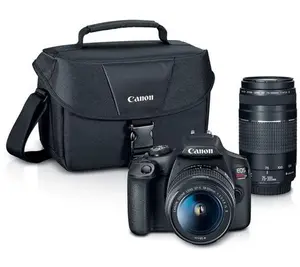
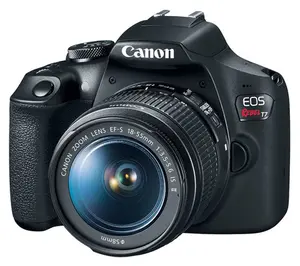
Canon EOS Rebel T7 Camera w/ Lens Bag & Cleanin g Kit
Free shipping
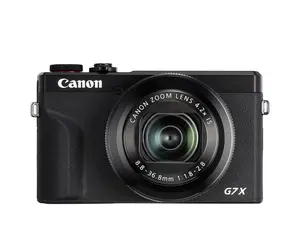
Canon PowerShot G7X Mark III Digital Camera
Free shipping
OSMO NANO Standard Combo (128GB)
Free shipping
QVC, Inc
5.0151 sold
$396.04
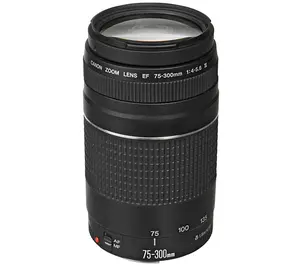
Canon EF 75-300mm f/4-5.6 III Lens Bundle
Free shipping
Amazon Echo Show 8 FHD Display Smart Hub with Alexa+
Free shipping
Canon EF 50mm F/1.8 STM Lens
Free shipping
QVC, Inc
5.016 sold
$186.15
Samsung Galaxy Buds 4 Pro (2026)
Free shipping
Samsung US
4.75.4K sold
$273.75

Introduction

In today's fast-paced digital world, having reliable connectivity options is essential, and Canon Bluetooth technology offers just that. With Canon Bluetooth, users can easily connect their Canon devices, such as printers and cameras, to smartphones, tablets, and laptops, allowing for hassle-free data transfer and printing. This wireless technology is designed to enhance user experience by providing a convenient way to manage and share files.

Here are some key benefits of using Canon Bluetooth:
  • Easy Connectivity: Pair your devices quickly without complicated setup processes.
  • Wireless Printing: Print high-quality photos directly from your smartphone or tablet.
  • File Sharing: Transfer images and documents seamlessly between devices.
  • Proven Quality: Canon is a trusted brand known for its innovative technology and customer-approved products.
Whether you are a professional photographer or a casual user, Canon Bluetooth technology makes it easier than ever to manage your digital content. The ability to connect wirelessly not only saves time but also reduces clutter from cables, making your workspace more organized. Stay connected and enjoy the freedom that Canon Bluetooth provides, ensuring that you can capture and share your memories effortlessly.

FAQs

How can I connect my Canon device via Bluetooth?

To connect your Canon device via Bluetooth, ensure Bluetooth is enabled on both devices, then follow the pairing instructions in your Canon device's user manual.

What devices are compatible with Canon Bluetooth?

Canon Bluetooth is compatible with various smartphones, tablets, and computers that support Bluetooth technology. Check your device specifications for compatibility.

Can I print photos directly from my smartphone using Canon Bluetooth?

Yes, you can print photos directly from your smartphone using Canon Bluetooth by connecting your phone to a compatible Canon printer.

Are there any common issues when using Canon Bluetooth?

Common issues include difficulty pairing devices or connection drops. Ensure both devices are within range and that Bluetooth is enabled on both.

What should I do if my Canon device won't connect via Bluetooth?

If your Canon device won't connect via Bluetooth, try restarting both devices, checking for software updates, and ensuring they are within range.