Results for "bn59 samsung 01315a programming"
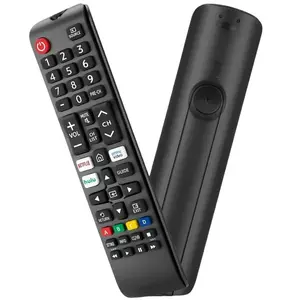
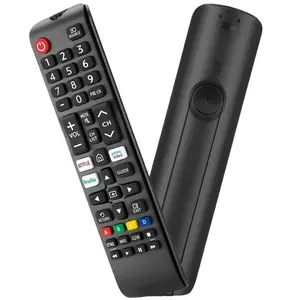
The BN59 Samsung 01315A refers to a remote control model designed for Samsung televisions, offering essential functions for seamless operation.


5.0
13 sold
-52%$11.64$24.33
![[2pcs/Pack] Replacement Universal Remote Control BN59-01315A Fit for Samsung 2019 UHD Smart TV (RU7300 RU7200 RU7100 RU730D RU710D)](https://p16-oec-general-useast5.ttcdn-us.com/tos-useast5-i-omjb5zjo8w-tx/e50c5b151e65421fa8901f882162d96c~tplv-fhlh96nyum-crop-webp:300:300.webp?dr=12190&t=555f072d&ps=933b5bde&shp=8dbd94bf&shcp=a6e80448&idc=useast5&from=2378011839 "[2pcs/Pack] Replacement Universal Remote Control BN59-01315A Fit for Samsung 2019 UHD Smart TV (RU7300 RU7200 RU7100 RU730D RU710D)")
3.6
38 sold
-50%$11.64$23.27


![BN59-01357A IR Replacement Remote Control fit for All Samsung Smart TVs Compatible with Samsung QLED Series Smart TV 2021 Model[ No Voice ]](https://p16-oec-general-useast5.ttcdn-us.com/tos-useast5-i-omjb5zjo8w-tx/ad33a9771e49474aa814aa3a6c71f59f~tplv-fhlh96nyum-crop-webp:300:300.webp?dr=12190&t=555f072d&ps=933b5bde&shp=8dbd94bf&shcp=a6e80448&idc=useast5&from=2378011839 "BN59-01357A IR Replacement Remote Control fit for All Samsung Smart TVs Compatible with Samsung QLED Series Smart TV 2021 Model[ No Voice ]")


![[Auction] Refurbished Samsung Galaxy S21 (Unlocked) - Good Condition with 1-Year Warranty by Plug](https://p16-oec-general-useast5.ttcdn-us.com/tos-useast5-i-omjb5zjo8w-tx/fc01d4fe791840f2b67f58f46964a033~tplv-fhlh96nyum-crop-webp:300:300.webp?dr=12190&t=555f072d&ps=933b5bde&shp=8dbd94bf&shcp=a6e80448&idc=useast5&from=2378011839 "[Auction] Refurbished Samsung Galaxy S21 (Unlocked) - Good Condition with 1-Year Warranty by Plug")
plug - shop tech

5.0
35 sold
$138.00


Related Searches
Related Categories
Introduction
If you're looking to enhance your Samsung TV experience, understanding the BN59 Samsung 01315A programming is crucial. This remote control is designed to provide users with easy access to their television's features and settings. With proven quality and customer-approved functionality, the BN59 Samsung 01315A is trusted by thousands of users for its reliability.
Programming this remote can seem daunting, but it’s a straightforward process. Here’s a step-by-step guide to help you:
Programming this remote can seem daunting, but it’s a straightforward process. Here’s a step-by-step guide to help you:
- Ensure the remote has fresh batteries.
- Turn on your Samsung TV.
- Press and hold the 'Setup' button until the red indicator stays on, then release the button.
- Press the 'TV' button; the red indicator blinks and then turns off.
- Enter the code for your TV brand (you can find the codes in the manual or online).
- If the code is correct, the red indicator will turn off. If not, repeat the process with the next code.