Results for "battery saver samsung"
Battery saver Samsung refers to the built-in feature available on Samsung devices that helps extend battery life by limiting background activity and optimizing settings. This feature is essential for users looking to maximize their device's usage time between charges.


![[WeeklyDeals] [Power Outage Survival]5000mAh Magnetic Power Bank MagSafe Wireless Fast Charger for iPhone 12–17 Pro/Pro Max, Compact Portable Battery Pack](https://p16-oec-general-useast5.ttcdn-us.com/tos-useast5-i-omjb5zjo8w-tx/4913c71ddd7f4e96924bf8164fdaa7c9~tplv-fhlh96nyum-crop-webp:300:300.webp?dr=12190&t=555f072d&ps=933b5bde&shp=8dbd94bf&shcp=a6e80448&idc=useast5&from=2378011839 "[WeeklyDeals] [Power Outage Survival]5000mAh Magnetic Power Bank MagSafe Wireless Fast Charger for iPhone 12–17 Pro/Pro Max, Compact Portable Battery Pack")


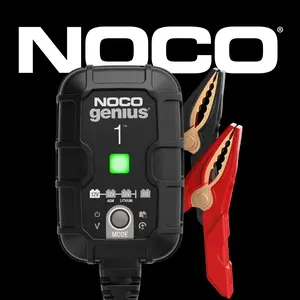
NOCO

4.6
38.9K sold
-11%$31.67$35.58


![10000mAh Magnetic Wireless Portable Charger 15W Fast Charging PowerBank Battery Phone Adjustable, [Qi-Wireless Required] Magnetic Power Bank 10000mAh for iPhone 12-17 & Wireless-Charging Enabled Android Phones (Magnetic Case Required for Android)](https://p16-oec-general-useast5.ttcdn-us.com/tos-useast5-i-omjb5zjo8w-tx/9b8328cf7dfa4d38bd5bde8ab9a77b08~tplv-fhlh96nyum-crop-webp:300:300.webp?dr=12190&t=555f072d&ps=933b5bde&shp=8dbd94bf&shcp=a6e80448&idc=useast5&from=2378011839 "10000mAh Magnetic Wireless Portable Charger 15W Fast Charging PowerBank Battery Phone Adjustable, [Qi-Wireless Required] Magnetic Power Bank 10000mAh for iPhone 12-17 & Wireless-Charging Enabled Android Phones (Magnetic Case Required for Android)")


![[FREEShip] Outdoor emergency lighting Solar Charger Power Bank 10000mAh Solar Phone Charger, Portable Charger Fast Charger Dual USB Ports Built-in LED Flashlight and Compass, IP65 Waterproof Portable Power Bank for Outdoor Activities](https://p16-oec-general-useast5.ttcdn-us.com/tos-useast5-i-omjb5zjo8w-tx/0be52a8ec93c4b6aacdba1c91795142b~tplv-fhlh96nyum-crop-webp:300:300.webp?dr=12190&t=555f072d&ps=933b5bde&shp=8dbd94bf&shcp=a6e80448&idc=useast5&from=2378011839 "[FREEShip] Outdoor emergency lighting Solar Charger Power Bank 10000mAh Solar Phone Charger, Portable Charger Fast Charger Dual USB Ports Built-in LED Flashlight and Compass, IP65 Waterproof Portable Power Bank for Outdoor Activities")


Related Searches
Related Categories
Introduction
If you're a Samsung device user, understanding how to effectively use the battery saver feature can significantly enhance your smartphone experience. The battery saver Samsung option is designed to help you manage power consumption efficiently, ensuring that your device lasts longer throughout the day. By activating this feature, you can minimize background data usage, reduce screen brightness, and limit app activity, all of which contribute to extended battery life.
Here are some key benefits of using the battery saver Samsung feature:
In conclusion, utilizing the battery saver Samsung feature is a simple yet effective way to ensure your device remains operational longer, giving you peace of mind and uninterrupted access to your favorite apps and services.
Here are some key benefits of using the battery saver Samsung feature:
- Prolongs battery life, allowing you to use your device for longer periods without charging.
- Reduces unnecessary background processes, which can drain your battery.
- Offers customizable settings to suit your specific needs and preferences.
- Helps in managing your device's performance during critical times when you need it most.
In conclusion, utilizing the battery saver Samsung feature is a simple yet effective way to ensure your device remains operational longer, giving you peace of mind and uninterrupted access to your favorite apps and services.