Results for "android screen mirror chromecast"
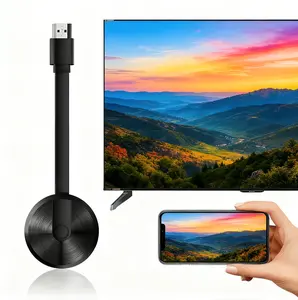
Android screen mirroring with Chromecast allows users to display their Android device's screen on a larger display, such as a TV, using the Chromecast device.




3.8
26 sold
-6%$18.84$20.02


3.5
2.2K sold
-6%$17.77$18.88


Related Searches
Related Categories
Introduction
Android screen mirroring with Chromecast is an innovative way to share your mobile device's content on a bigger screen, enhancing your viewing experience. Whether you're streaming videos, showcasing photos, or presenting apps, this feature allows seamless connectivity and interaction. By utilizing Chromecast, users can easily cast their Android screens, making it perfect for gatherings, meetings, or simply enjoying your favorite content in a more immersive manner.
Here are some key points to consider when using Android screen mirroring with Chromecast:
Here are some key points to consider when using Android screen mirroring with Chromecast:
- Easy Setup: Setting up Chromecast is straightforward. Simply plug it into your TV's HDMI port and connect it to your Wi-Fi network.
- Compatibility: Most Android devices support screen mirroring, making it widely accessible for users.
- High-Quality Streaming: Enjoy high-definition quality when mirroring your screen, ensuring a clear and vibrant display.
- Multi-Device Support: Multiple Android devices can connect to the same Chromecast, allowing friends and family to share their screens.
- Trusted Technology: Chromecast is a proven quality product trusted by millions for its reliability and ease of use.