Results for "And pc build"
A PC build refers to the process of selecting and assembling various components to create a custom desktop computer tailored to specific needs and preferences.


Newegg, Inc.

5.0
14 sold
-18%$899.99$1,099.99


Newegg, Inc.
-12%$1,899.99$2,169.99


Newegg, Inc.
-19%$1,699.99$2,099.99


Newegg, Inc.
5.0
1 sold
-10%$1,077.99$1,199.99
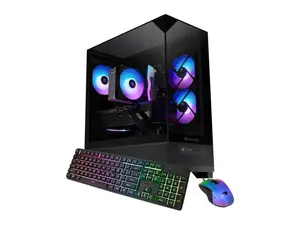
Newegg, Inc.
-8%$1,107.99$1,199.99


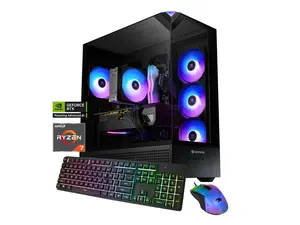
Newegg, Inc.
5.0
14 sold
-13%$1,399.99$1,599.99


$3,799.00


Newegg, Inc.
-25%$180.49$240.48

Related Searches
Related Categories
Introduction
Building your own PC can be an exciting and rewarding experience, especially when you have a clear understanding of what a PC build entails. A PC build allows you to customize your desktop computer by choosing the best components that fit your requirements, whether it's for gaming, video editing, or general use. The typical components involved in a PC build include the CPU, motherboard, RAM, storage drives, graphics card, and power supply. Each of these elements plays a crucial role in determining the overall performance and capabilities of your desktop computer.
When considering a PC build, it's essential to think about your specific needs. Are you a gamer looking for high-performance graphics, or do you need a machine for everyday tasks like browsing and document editing? Understanding your use case will help you select the right parts.
Here are some key tips for a successful PC build:
Whether you're a novice or an experienced builder, having a solid plan for your PC build will lead to a successful and satisfying outcome. Remember, the right PC build can enhance your computing experience significantly, making it a worthwhile investment. Proven quality and customer-approved components are available to help you create the perfect desktop computer tailored to your needs.
When considering a PC build, it's essential to think about your specific needs. Are you a gamer looking for high-performance graphics, or do you need a machine for everyday tasks like browsing and document editing? Understanding your use case will help you select the right parts.
Here are some key tips for a successful PC build:
- Research compatible components to ensure they work well together.
- Consider future upgrades to extend the life of your desktop.
- Pay attention to cooling solutions to prevent overheating.
- Set a budget to help guide your component choices.
Whether you're a novice or an experienced builder, having a solid plan for your PC build will lead to a successful and satisfying outcome. Remember, the right PC build can enhance your computing experience significantly, making it a worthwhile investment. Proven quality and customer-approved components are available to help you create the perfect desktop computer tailored to your needs.