Results for "ancheer treadmill remote not working"
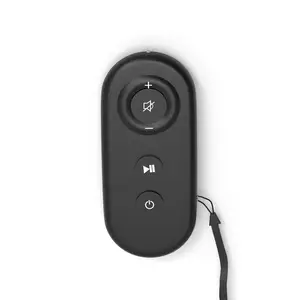
The Ancheer treadmill remote is a device used to control the settings of Ancheer treadmills, allowing users to adjust speed and start or stop their workout.


ANCHEER

4.5
3.0K sold
-49%$202.99$399.99


ANCHEER
4.4
237 sold
-47%$175.99$329.99




ANCHEER
4.5
12.8K sold
-61%$154.99$399.00


ANCHEER
4.9
124 sold
-61%$156.99$399.00
Related Searches
Related Categories
Introduction
If you're facing issues with your Ancheer treadmill remote not working, it can be quite frustrating, especially when you're ready to get your workout in. The Ancheer treadmill remote is essential for adjusting your treadmill settings easily. When it fails to function, it can hinder your exercise routine. There are several reasons why your Ancheer treadmill remote may not be working, and understanding these can help you troubleshoot effectively.
Common issues include dead batteries, connectivity problems, or interference from other devices. Here are some steps you can take to resolve the problem:
Common issues include dead batteries, connectivity problems, or interference from other devices. Here are some steps you can take to resolve the problem:
- Check the batteries: Ensure that the batteries in your remote are fresh and installed correctly.
- Reset the treadmill: Unplugging the treadmill for a few minutes can sometimes reset the system and fix remote issues.
- Inspect for obstructions: Make sure there are no objects blocking the signal between the remote and the treadmill.
- Consult the user manual: The manual often contains troubleshooting tips specific to your model.
- Contact customer support: If all else fails, reaching out to Ancheer’s customer service can provide additional assistance.