Results For "how to set up baofeng uv5r"
The Baofeng UV-5R is a popular handheld two-way radio known for its versatility and affordability, making it a great choice for both amateur radio enthusiasts and general communication needs.

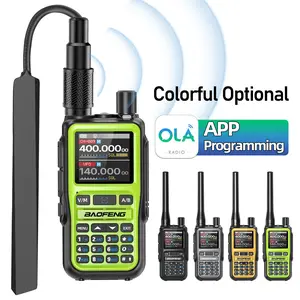
5.0
20 sold
-31%$25.62$37.13


4.4
3.6K sold

-45%$25.36$45.99


Related Searches
Related Categories
Introduction
Setting up your Baofeng UV-5R walkie talkie can seem daunting at first, but with a few simple steps, you can be ready to communicate effectively. The Baofeng UV-5R is equipped with features that make it ideal for various applications, from outdoor adventures to emergency communications. To get started, ensure that you have the following items: the Baofeng UV-5R radio, a charged battery, and an antenna.
Here’s how to set it up:
Here’s how to set it up:
- Insert the battery into the back of the radio until it clicks into place.
- Attach the antenna by it onto the top of the device.
- Power on the radio by rotating the volume knob clockwise.
- Set your desired frequency by using the keypad or the up/down buttons.
- Adjust the volume to a comfortable level.