Results for "screencast samsung tv"
A screencast on a Samsung TV refers to the process of wirelessly displaying content from a device, such as a smartphone or tablet, on the TV screen. This feature allows users to share videos, photos, and other media easily.

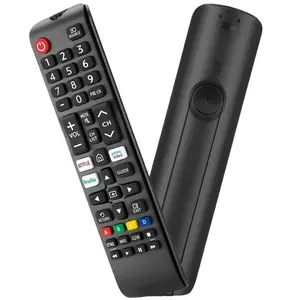

![[Pack of 2] Universal for Samsung TV Remote Control for LCD LED HDTV 3D Crystal UHD TV Series Smart TV Remote](https://p16-oec-general-useast5.ttcdn-us.com/tos-useast5-i-omjb5zjo8w-tx/e0afa05b9129428ea8b1aa9360817e5e~tplv-fhlh96nyum-crop-webp:300:300.webp?dr=12190&t=555f072d&ps=933b5bde&shp=8dbd94bf&shcp=a6e80448&idc=useast5&from=2378011839 "[Pack of 2] Universal for Samsung TV Remote Control for LCD LED HDTV 3D Crystal UHD TV Series Smart TV Remote")

3.6
38 sold
-50%$12.71$25.42





Related Searches
Related Categories
Introduction
Screencasting on a Samsung TV has become an essential feature for many users looking to enhance their viewing experience. By utilizing screencasting, you can effortlessly share your device's screen directly onto your Samsung TV, making it perfect for showcasing photos, streaming videos, or even presenting work-related content. This functionality is particularly useful during family gatherings, parties, or business meetings, where sharing visual content can enhance engagement and enjoyment.
To start screencasting on your Samsung TV, ensure that both your TV and the device you wish to cast from are connected to the same Wi-Fi network. Once connected, simply access the screencasting feature on your device, and select your Samsung TV from the list of available devices. With just a few taps, your content will be displayed on the larger screen, offering a more immersive experience.
Some key benefits of screencasting include:
- Seamless sharing of media content
- Enhanced viewing experience for movies and games
- Convenience of wireless connectivity